Projects
Projects
Projects are made up of a set of tasks, each of which can have its own timeframe, assigned person and status. You can use this for "Ad-hoc" or recurring projects.
# One-off Projects
# Creating a One-Off Project
- Click Create new project in the top-right corner.

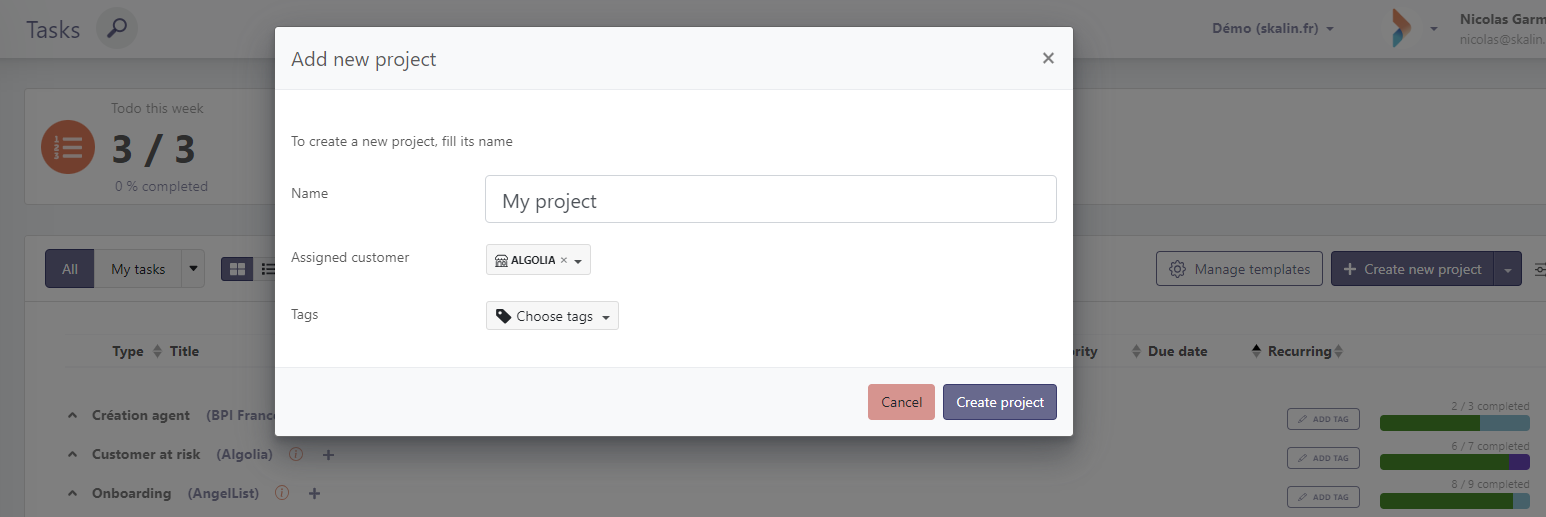
- Enter a project name, assign it to a customer (if you would like to allocate more than one customer to your project, it might mean that you actually need to create a project template to duplicate this project on each of your customers), give it a Tag, then click Create project.
- Once created, your project acts as a container for tasks. Add tasks by clicking the + next to the project or the center icon if empty.
 Create as many tasks as your project requires.
Tasks follow the same principle as creating single tasks.
Create as many tasks as your project requires.
Tasks follow the same principle as creating single tasks.
# Task Templates
For recurring projects, it's a good idea to create templates that you can then reuse as often as necessary.
# Template Creation or Modification
Click Manage templates.
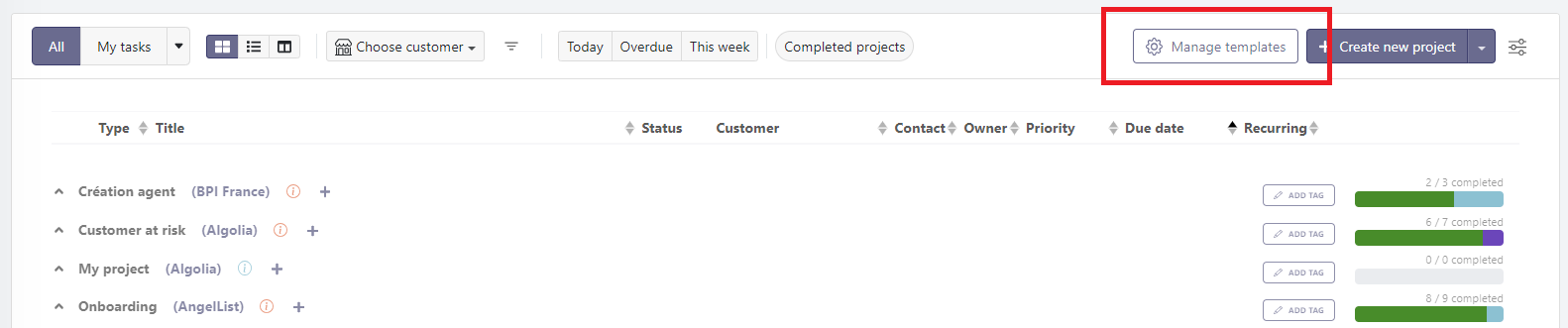
Click Create new template.

- Enter the template name in the dialog box and save.

- Your template now acts as a container for tasks. Add tasks using the + next to the template or the center icon if empty.
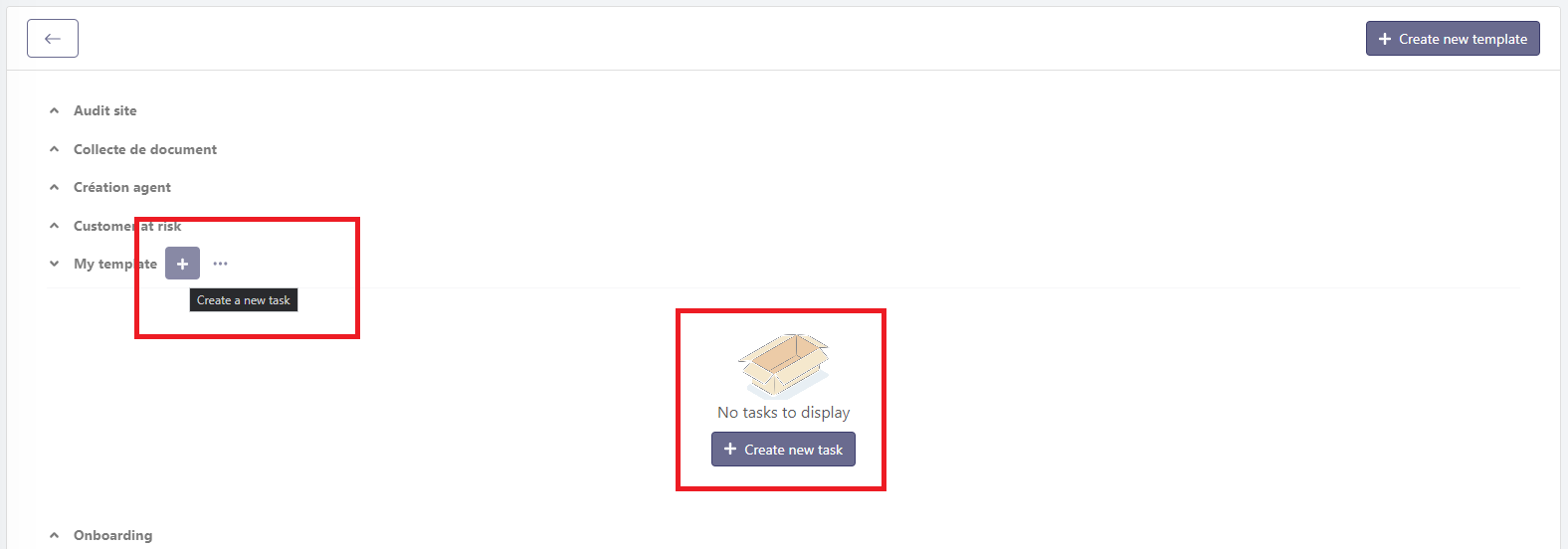
You must specify the completion delay for each task in your template: these delays are used to define the order in which tasks should be completed, and when you instantiate this template for a given customer, due dates will be calculated based on the project creation date plus the completion delay.
# Creating a Project from a Template
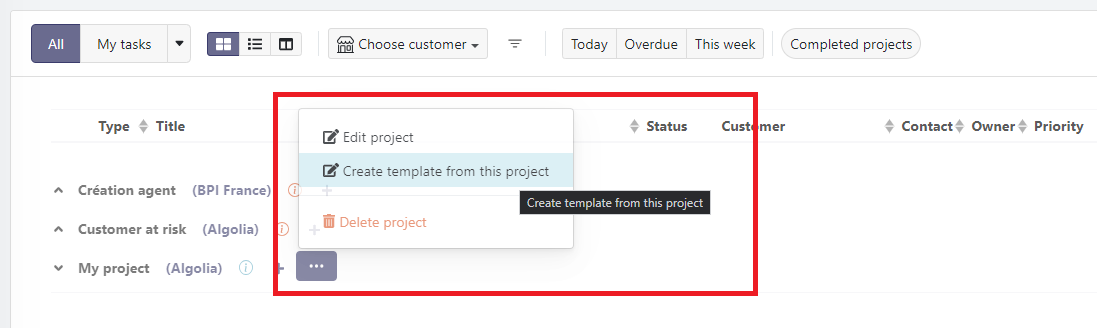
- To reuse an existing project as a template, click ... next to the project and select Create template from this project.
- The project will be available in Manage templates for repeated use.
Info
Task templates can also be automatically triggered via a Playbook. This is one of the available actions in Playbook configuration.
# Viewing a Customer's Projects
To view the projects associated with a customer, several options are available:
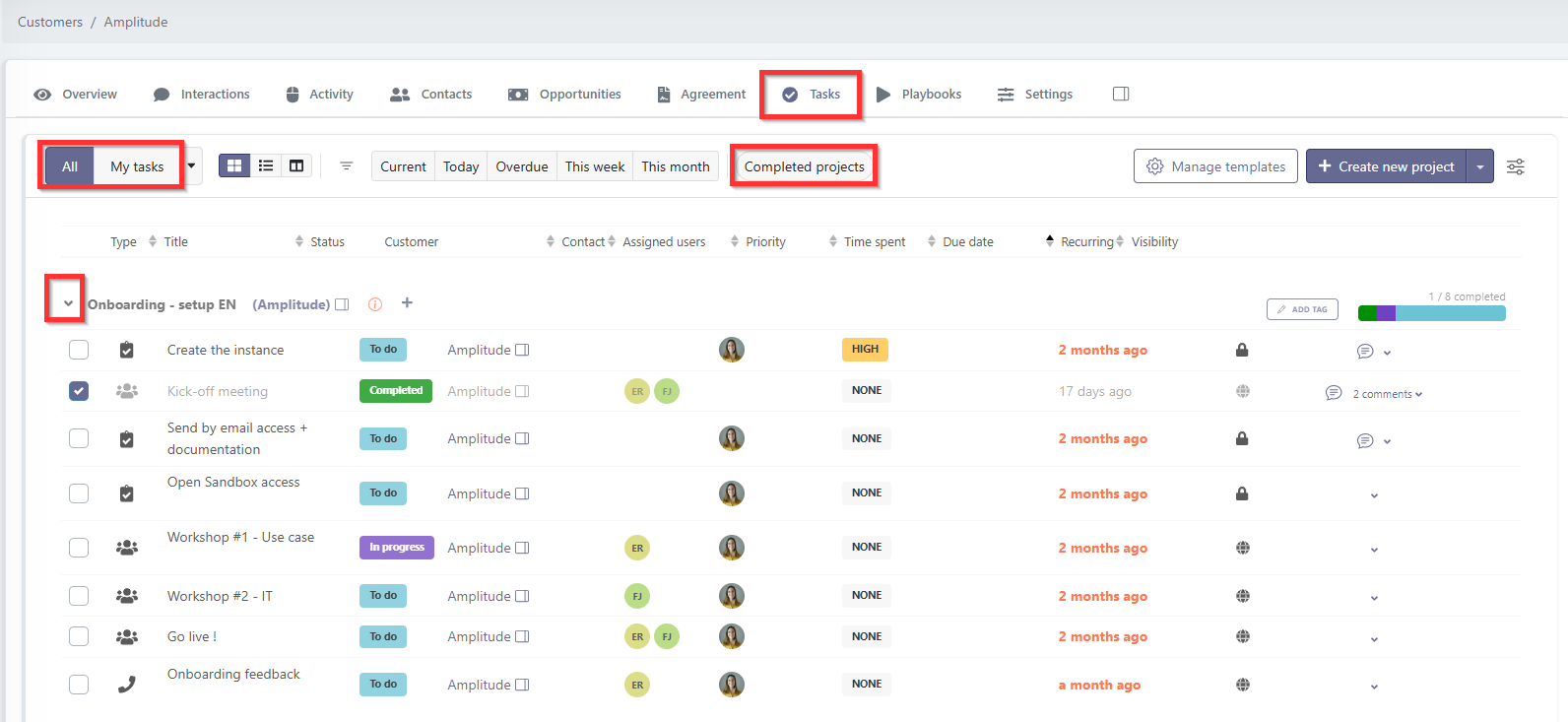
You can open the customer record and go to the "Tasks" tab to view all projects for that customer. To see all projects, including completed ones, click the "Completed Projects" button in the filters. Feel free to switch between "All" and "My Tasks" in the filter bar to display the projects most relevant to you.
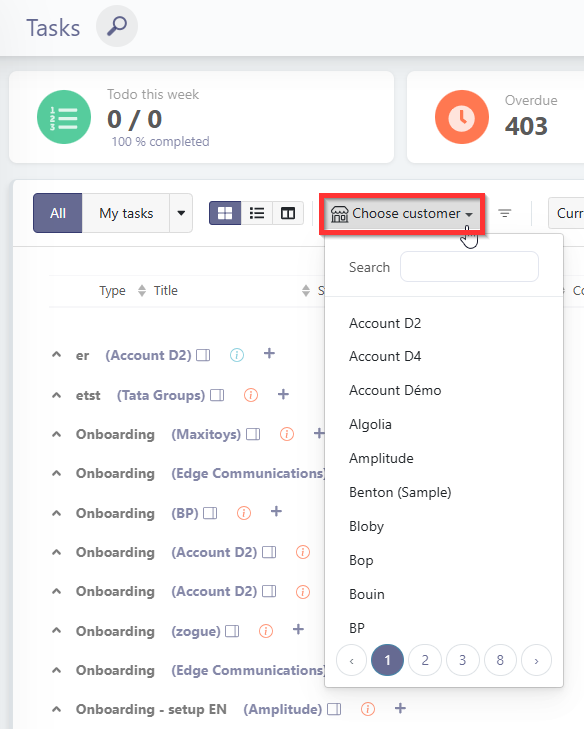
From the Activities > Tasks menu, you can filter by the customer you are interested in.
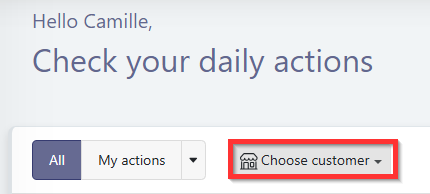
Finally, in "My Actions", you can filter by customer at the top of the view. Only the tasks associated with that customer will then be displayed in the "Tasks" section of My Actions.
# Sharing a project with your customer
Your projects and tasks can be shared directly with your customers via the Customer Portal. You decide, task by task, what is visible to the customer and what stays internal. If you use templates, this is the ideal place to configure visibility once and for all: each instance will automatically inherit the template's settings.
Customer Portal
To learn more about configuring and sharing projects with your customers, see the Customer Portal section.