Customer Settings
Customer Settings
# Definition of a Ghost or Dormant Customer
A dormant customer is one who has not been using your tool for a certain period of time and with whom you no longer have any exchanges.
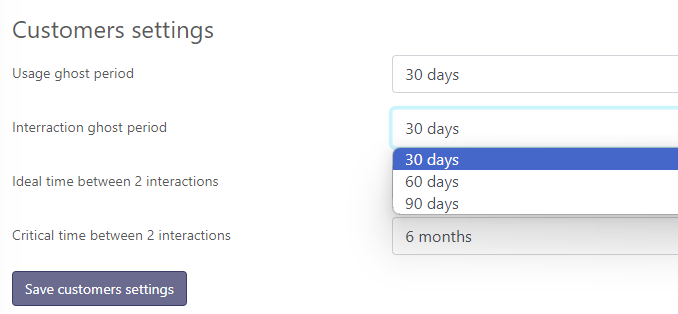
By default, a customer is considered dormant if they have 30 days without a login AND 30 days without an incoming interaction (email or ticket, meeting or call).
These settings can be adjusted to match the nature of your business.
This is configured in Settings > General > Customer Settings, where each of these periods can be set to 1, 2, or 3 weeks, or 1, 2, 3, 6, 9, or 12 months.
Click "Save customer settings" to apply the changes.
# Interaction Goals
The "Last Contact" report shows the distribution of customers based on the date of their last interaction.
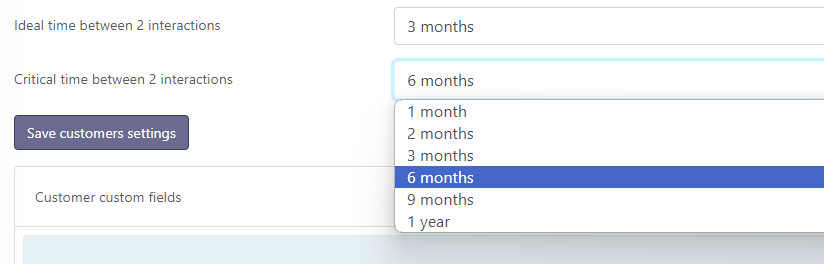
Skalin defines by default that a good interaction frequency is at least every 3 months; beyond 6 months, it is considered problematic.
You can modify these settings in Settings > General > Customer Settings.
Then click "Save customer settings" to apply the changes.
# Custom Fields
Custom fields let you extend Skalin with your own business data: customer tier, renewal owner, contract-specific information... Once created, these fields are available in filters, saved views, and playbooks.
For full setup instructions, see Key Concepts: Filters, Tags and Custom Fields.