Feature adoption
Feature adoption
# Product Adoption Reports
These reports help you monitor how your product is being used and identify adoption patterns.
# Key indicators
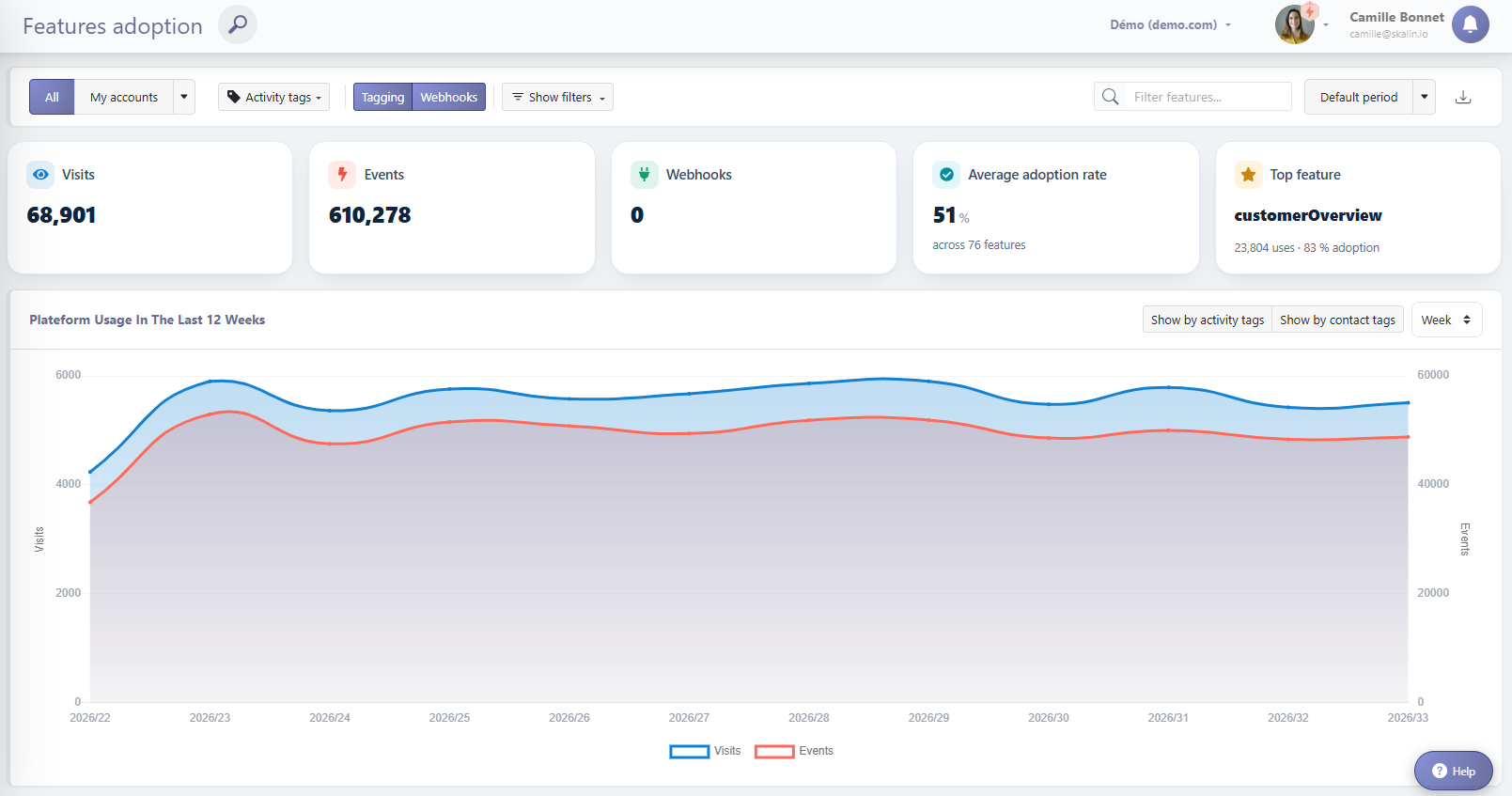
At the top of the page, 5 key indicators summarize activity across the filtered customers:
- Visits: total number of visitors on the filtered customers over the last 12 weeks (or the selected period at the top right corner).
- Events: total number of events on the filtered customers over the last 12 weeks (or the selected period at the top right corner).
- Webhooks: total number of webhooks received on the filtered customers over the last 12 weeks (or the selected period at the top right corner).
- Average adoption rate: percentage of features used over the last 30 days out of the total number of tracked features.
- Top feature: the most used feature over the last 30 days.
# Connections Overview
The graph below shows the evolution of the number of user connections over the last 12 weeks. You can:
- Filter by customer category
- Filter by a specific CSM
- Switch to the last 12 months (or another period) using the drop-down menu at the top right
# Feature Usage
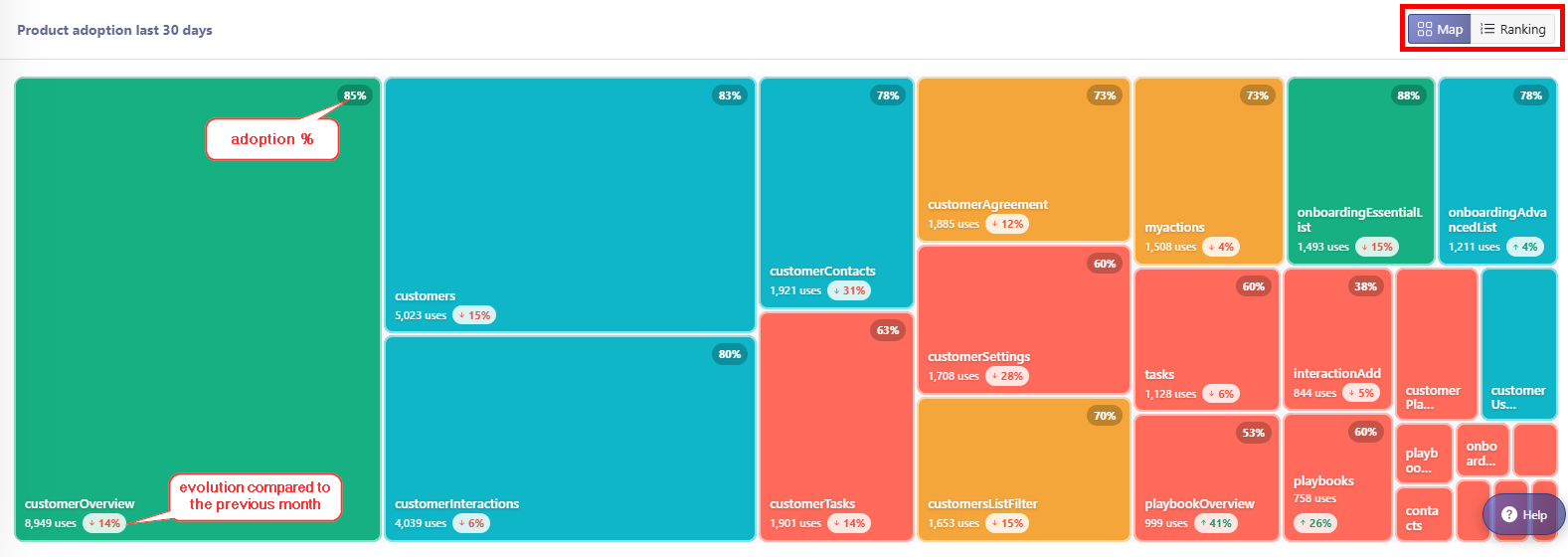
Below the connections graph, feature usage is displayed. Two display modes are available from the selector in the top right: Card and Ranking.
In Card mode, each feature is shown as a tile:
- Tile size is proportional to the number of uses over the last 30 days, making customer usage easy to grasp at a glance.
- Tile color reflects the feature's adoption rate across all your customers: red below 65%, orange from 65 to 74%, blue from 75 to 84%, green from 85% and above.
- A trend indicates whether the feature is used more or less than the previous month.
Ranking mode shows the same information as a sorted table, including the number of uses, the adoption rate and the trend for each feature.
# Feature-Specific Insights
Clicking on a feature opens a dedicated view with:
- Top left chart: feature adoption over time in relation to overall application adoption.
- Bottom left chart: proportion of customers using the feature. This percentage is the number of customers using the feature out of all your customers — not to be confused with the adoption rate shown in the Adoption tab of a customer record, which is calculated at the level of a single customer's contacts.
- Right table: list of customers who use the feature the most. Rows in red are customers whose feature usage percentage is below the global average (not their health profile average). This usage percentage represents the volume of clicks on this feature relative to the clicks on all other features by that customer.
