Exit conditions
Exit conditions
The exit conditions allow you to terminate the Playbook:
- Stop activation: stops the Playbook.
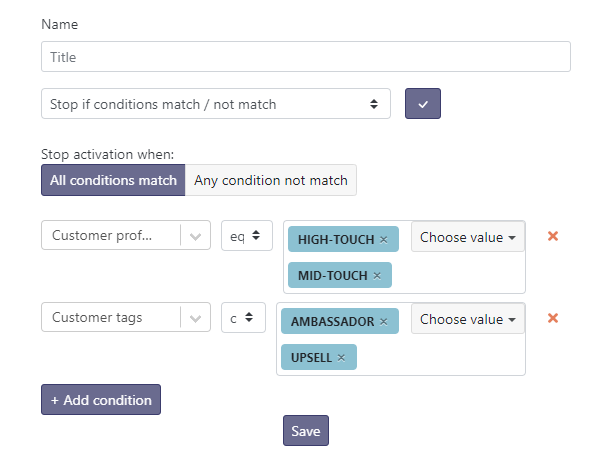
- Stop if conditions match / not match: stops the Playbook according to conditions to be defined. For example, I stop a reactivation scenario if the contact has reconnected.
In this example, I want to stop the Playbook for customers who have (a High-Touch profile OR a Mid-Touch profile) AND (have an Ambassador or Upsell tag).
Last touch, Last user touch and End date
Among the criteria available to define an exit condition, a few are easily confused:
- Last touch: date of the last contact received from the customer. This criterion also includes messages sent by the customer to non-Skalin members (for example exchanges surfaced through your CRM).
- Last user touch: date of the last email, call or meeting with a Skalin user.
- End date: in the contract information, this value corresponds to the end date of the active contract. Contracts still waiting to start (pending) are not taken into account.