Playbook trigger filters
Playbook trigger filters
# Trigger filters
# Advanced trigger filters
Click on "show advanced filters" to access a wide range of filters.
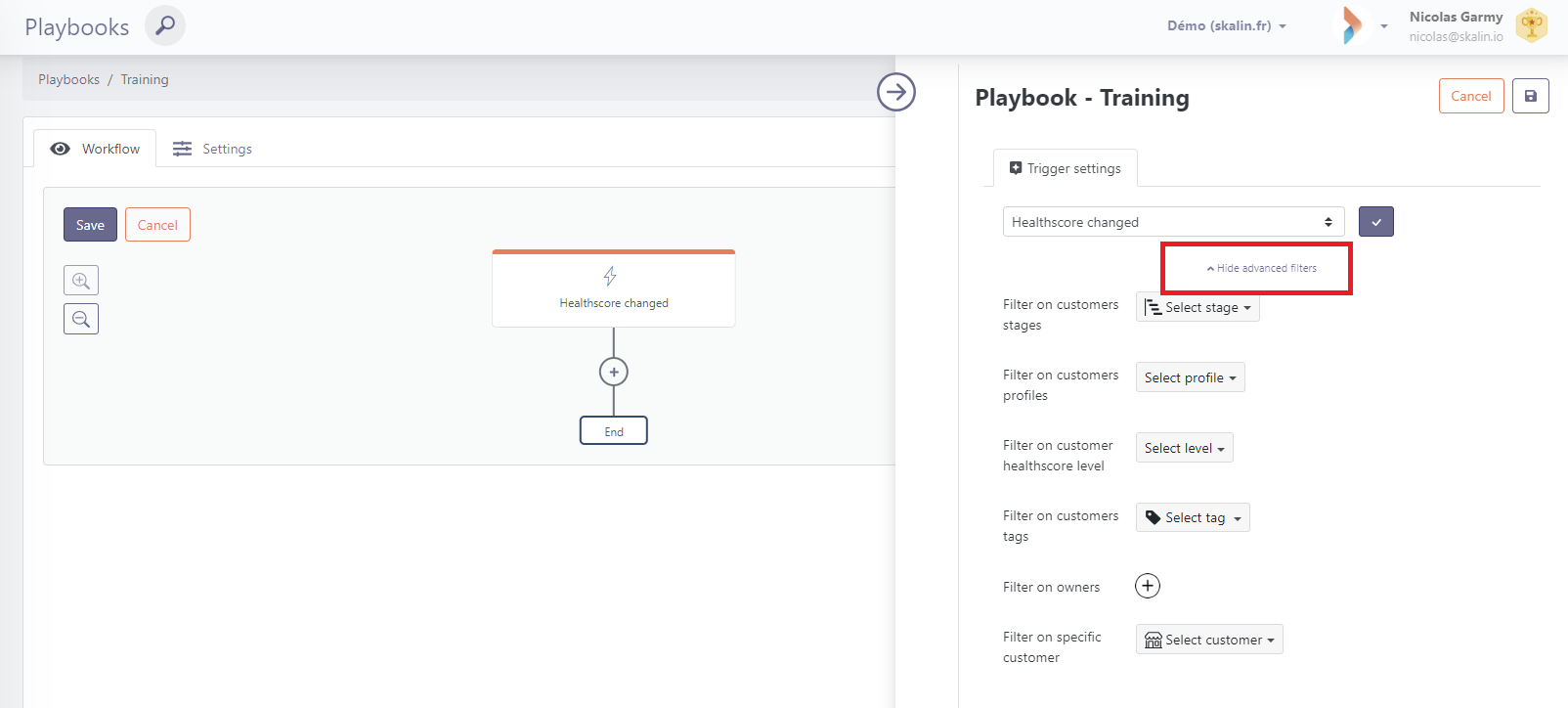
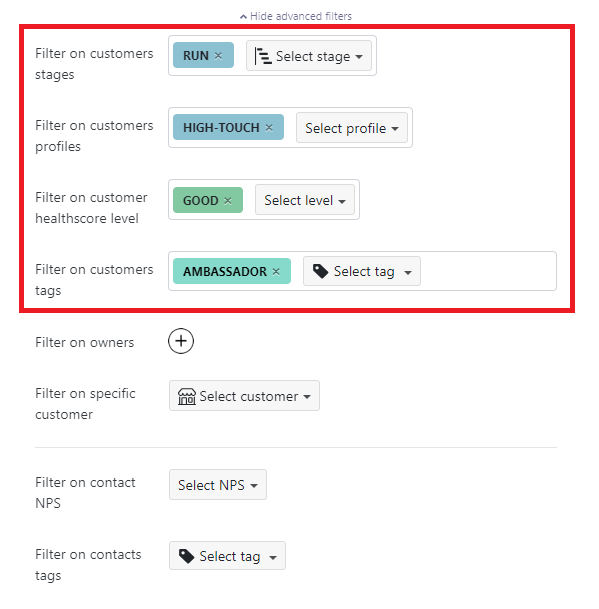
For example, you can filter according to life-cycle phase, customer segment, health score or Custom Tags assigned to your customers.
Tip
If you select multiple criteria for a parameter, "OR" conditions apply. In the example below, my Playbook will apply to customers who are either "Onboarding" or "Running".

For cumulative conditions (AND), see how to add a filter step.
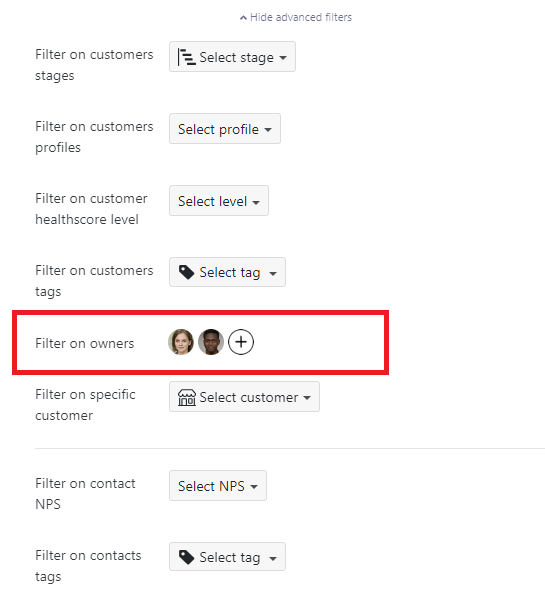
You can also filter by selecting one or more account owners.
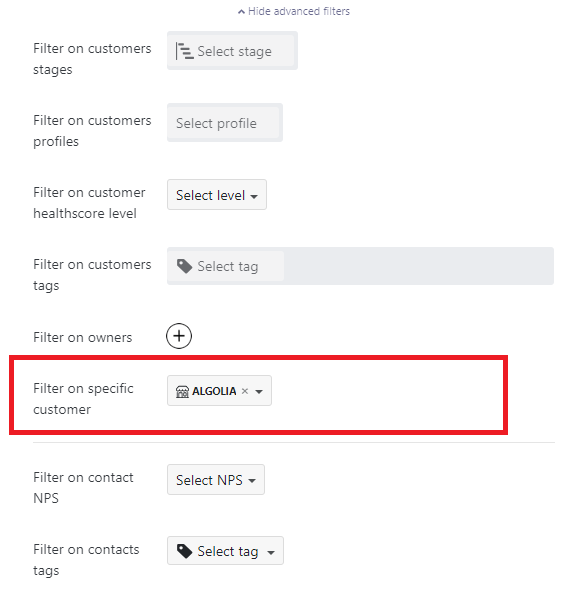
Finally, if you wish to set up a Playbook on a specific customer, simply indicate this. All other criteria become inactive.
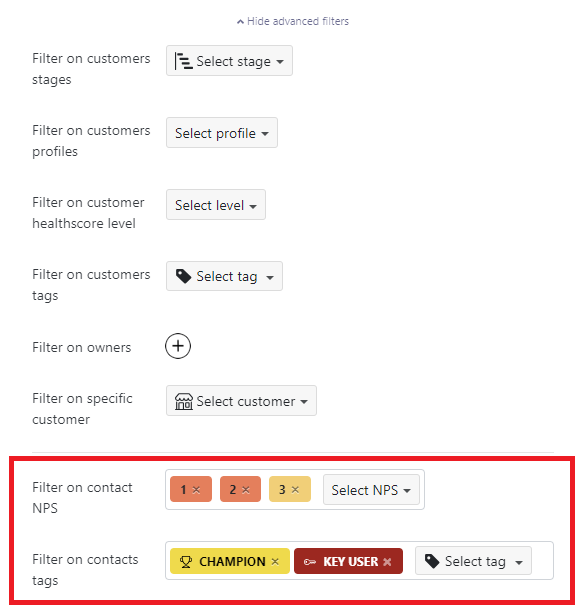
For triggers targeting contacts, you can filter on the last NPS score submitted or on one or more Tags.
For triggers associated with customers, you can select a specific position in the account hierarchy:
- Parents and Children : all accounts by default
- Parents (selected in blue) : all accounts which have at least one child (they can themselves be children of other accounts)
- Children (selected in blue) : all accounts whith no child If an account is not part of a hierarchy, it is a child.
# Add a Filter Step
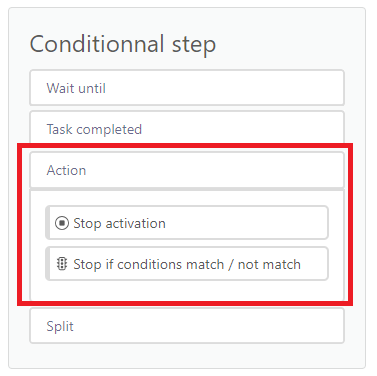
You can use a "stop if conditions match / not match" step to refine your trigger conditions. This allows you to apply cumulative conditions (AND), which were not available with the advanced filters.
You can find it in Conditionnal step > Action.
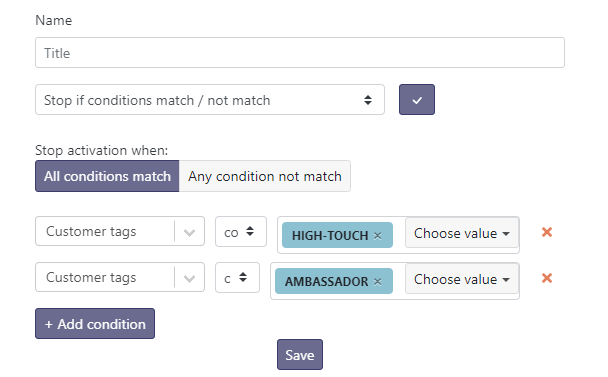
Example 1: AND Condition
Stop the Playbook for customers who have both the High-Touch tag AND the Ambassador tag.
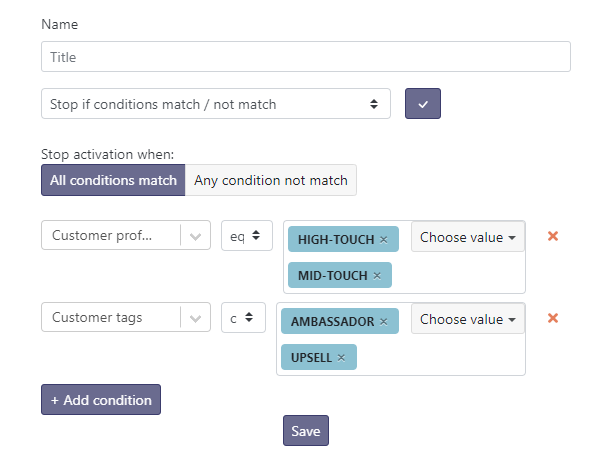
Example 2: Mixed AND/OR Conditions
Stop the Playbook for customers who have:
(High-Touch OR Mid-Touch)profile
AND(Ambassador OR Upsell)tag
Tip:
Using "stop if conditions match / not match" allows you to create filters and conditions linked to your custom properties.