Playbooks FAQ
Playbooks FAQ
# Playbook activation questions
# What is a playbook activation?
An activation corresponds to the launching of a playbook on a given customer. An activation is considered ongoing as long as the last step of the playbook has not been reached. The activation begins when the playbook is triggered manually or automatically.
On the playbooks view, an ongoing activations counter is located on the far right:
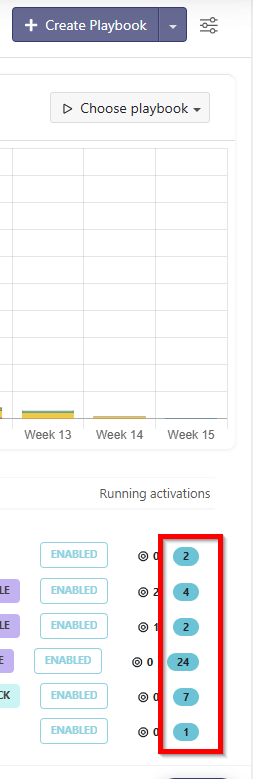
To see the precise list of ongoing activations, open the playbook and navigate to the Activations tab:
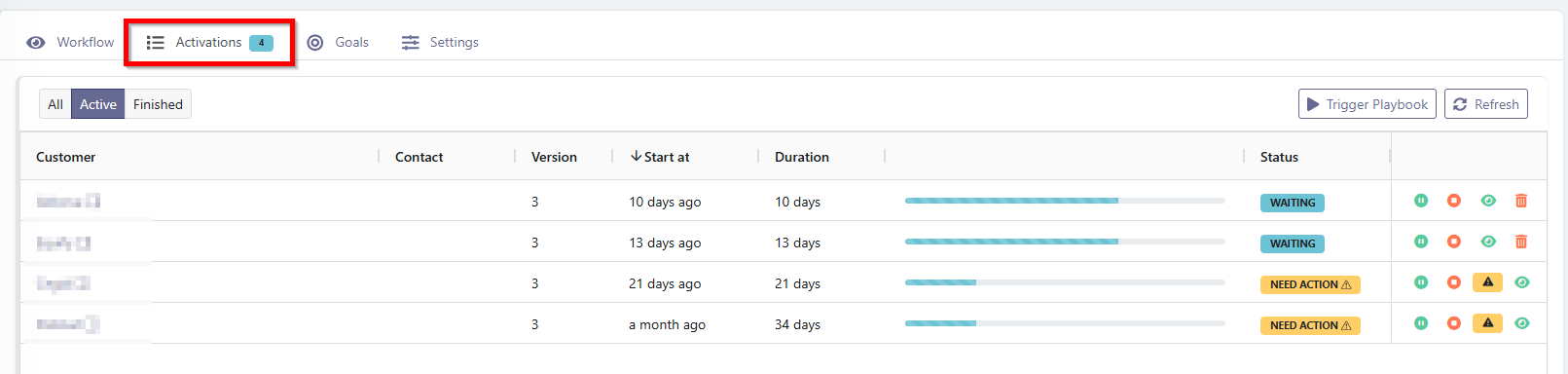 You will find all the customers (and contacts when the playbook is at the contact level) on which an activation is currently in progress, along with the following information:
- the version of the playbook that was executed
- the activation start date
- its current execution duration
- its progress bar
- its status
To see the precise details of the activation for a specific customer, you can click on the eye icon to view more details. To view all activations, including completed ones, you can switch the filter at the very top to "All".
# How do I count the total number of activations of a playbook since its launch?
You have two options:
- Open the playbook, go to the "Activations" tab and, by switching the filter to "All", you will find the total number of activations for this playbook at the bottom.
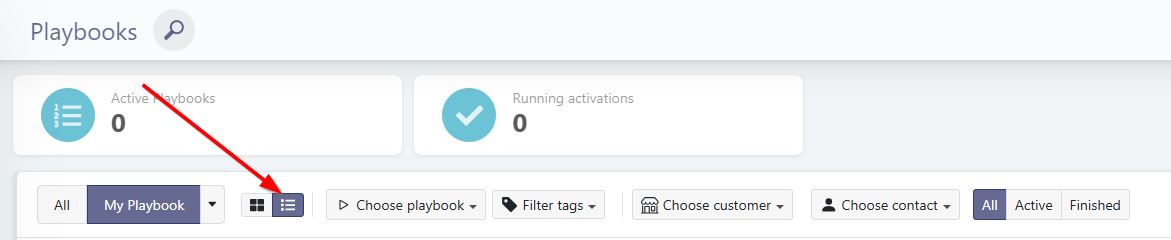
- Or from the Activities > Playbooks menu, click on the activations list icon and select the playbook you are interested in. You will again find the total number of activations for the playbook at the bottom.
# I modified or deactivated a playbook, but the tasks that were already created haven't disappeared — why?
When a playbook creates tasks for a customer as part of an activation, those tasks have their own lifecycle, independent of the playbook. If you deactivate the playbook, publish a new version, or even delete the playbook, the tasks that have already been created are not automatically deleted.
To remove them, you need to delete them manually, directly from the customer record (Tasks tab) or from the Tasks view.
# Modeling Choices
# Task project vs. task sequence in a playbook
If you have started creating playbooks with multiple tasks and have also created task templates, you may have wondered: when should you use a task project versus creating a series of tasks directly in a playbook?
Here are the pros and cons of each approach.
If you create your tasks one by one in your playbook, you can interleave pre-written emails or wait steps between tasks. This saves time on intermediate steps between your tasks and may allow you to better adapt the process. If you use a task template, you cannot interleave pre-written emails or wait steps between individual tasks.
If you need to wait for tasks 1, 2, 3, and 4 — running in parallel — to all be completed before moving forward in your playbook, it is better to use a task template rather than creating those tasks one after another in the playbook. Why? Simply because it is easy to wait for a single task or an entire task template to be completed before proceeding in the playbook. However, you cannot create combined conditions to wait for multiple specific tasks to all be finished before moving on.

# Modeling a milestone in a process
When there is a checkpoint or a validation required before moving forward, you can use:
- a task that must be completed to proceed,
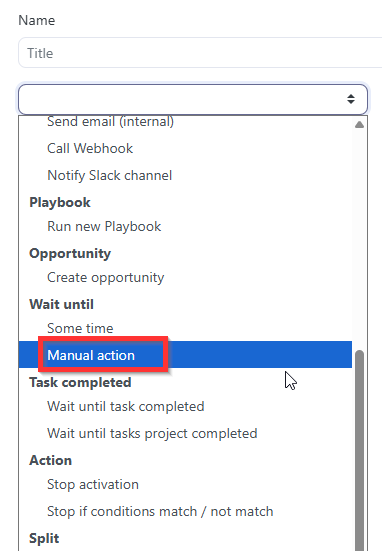
- a "Wait until manual activation" step (e.g. Has the kick-off meeting taken place?) that allows the CSM to move forward by clicking "Continue" in the My Actions section,
- or a wait period followed by a manual split & merge with a clear question such as "Is the checklist complete? Yes/No".
How to choose between these 3 options?
The key question to ask is: "Is there a follow-up to send if the validation is not yet complete?"
If so, use a manual split & merge so that an automatic follow-up email can be sent to the customer if the validation has not passed.
If no email needs to be sent to the customer at this milestone, you can simply use a task if there are steps to describe for validating the milestone (checklist), or a manual action, which remains very simple and effective as it will not get lost among other tasks.
# Questions about playbook dates
# Retroactive Date Calculation
If a playbook trigger is set X months before the contract end date, for example, Skalin will convert the specified duration before the contract end date into days, using an average of 30 days per month for this calculation.
For example, if the contract end date is April 29, 2026, and the target trigger is 9 months before that date: 29/04/2026 - 270 days (i.e. 9 months × 30 days/month) = 02/08/2025. ➡️ The playbook will therefore trigger on August 2, 2025, not July 29, 2025.
# Using custom fields
# Add a dynamic link to the owner's calendar directly in an email
To discover how to add a dynamic link to the owner's calendar, in a pre-written email, come here.
# Assign a task to a user who is not the owner
To discover how to assign a task to a user who is not the account owner but whose identity changes depending on the customer, typically the account manager comes here.
# Questions about emails in playbooks
# How do I send emails from playbooks using a generic address, such as support@my-company.com?
Skalin cannot send emails from a group email address (e.g. a Google Group address). It must be a full Gmail account.
Here is how to set it up:
- Create a dedicated Gmail account for the intended use (e.g.
support@my-company.com). - If multiple people need to reply from this email, delegate access to this Gmail account to the relevant users, directly from the Gmail settings of the support account.
- Connect this support account to Skalin via Integrations > Hub > Gmail. This action must be performed by one of the users who has delegated access to the support Gmail account.
Important note
Only one Gmail account can be connected per full-license user in Skalin. If all your users need to connect their mailbox and calendar, you may need to purchase an additional full user license.